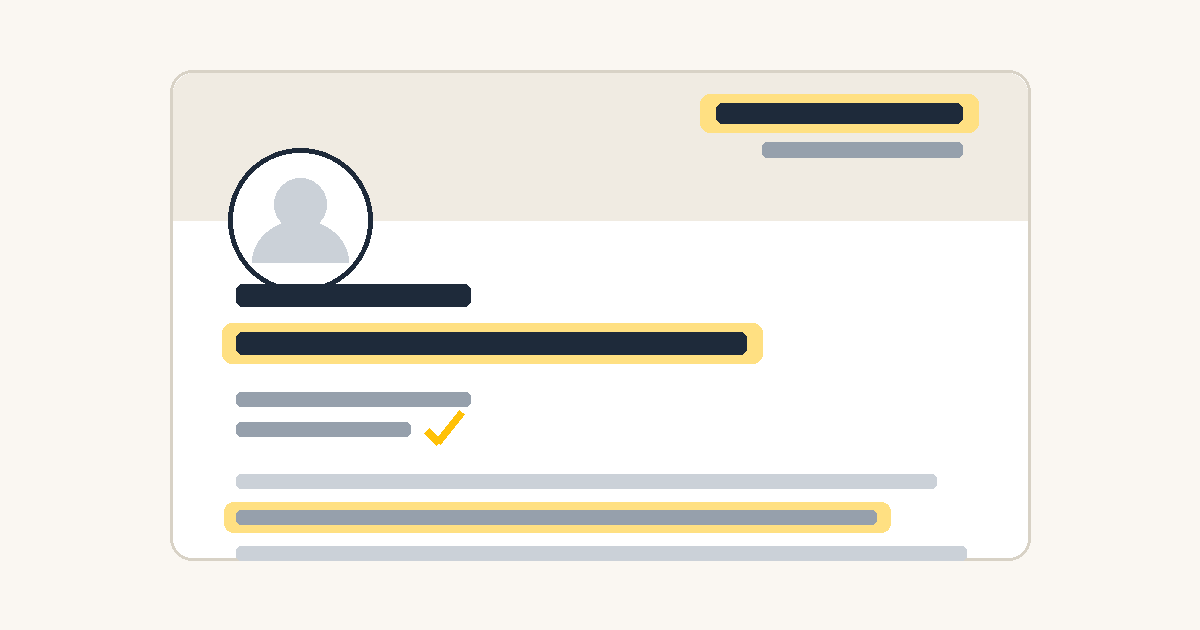
A practical, step-by-step guide for turning your profile from an online CV into something that actually wins you work.
LinkedIn profiles are mostly written like résumés: a list of jobs, read from the owner's point of view. The profiles that generate opportunities are written like landing pages: built around one clear message, read from the visitor's point of view. This guide walks you through the transformation, section by section, in the order visitors actually see things.
Before you start, answer one question and write the answer down: who is this profile for? Not "everyone". The specific kind of person you want to contact you - a hiring manager in your field, a certain type of client, a certain industry. Every decision below flows from that answer. When this guide says "your reader", it means that person.
1. The headline (the most important 220 characters you'll write)
Your headline follows your name everywhere on LinkedIn: in search results, in comments you leave, in connection requests, in the feed. Most people never see your full profile - they only see your name and headline. It does more work than any other element.
The mistake: using your job title. "Marketing Manager at Company X" tells the reader what your employer calls you, not what you can do for them.
The formula that works:
> What you do for whom | Proof you can do it | Current role or venture
For example: "I build AI systems for agencies | 12 yrs running a 30-person agency (award-winning) | Co-founder of X".
The first part speaks to your reader. The second part answers the immediate objection ("says who?") with your strongest credibility marker - years of experience, a recognizable achievement, a number. The third part anchors you in the present.
Write five versions. Read each one aloud and ask: if my ideal reader saw only this line, would they click? Pick the one where the answer is most clearly yes.
2. The banner image (the billboard everyone ignores)
The banner is the large image behind your profile photo. LinkedIn fills it with an abstract blue pattern by default, and most people leave it that way - which means a custom banner instantly puts you ahead.
What belongs on it: your name or brand, one line saying what you do, and possibly your website. That's all. It is a billboard, not a brochure.
The technical trap almost everyone falls into: LinkedIn shows the same banner differently on desktop, mobile, and in small preview cards - and on mobile, your round profile photo sits on top of the banner's left side, covering whatever you put there.
The rule: put all text and logos in the right half of the banner, vertically centered. Leave the left half as clean background. Banner size is 1584 × 396 pixels. After uploading, check your profile on your phone as well as your computer - if the photo covers your text, move the text further right.
Free tools like Canva have LinkedIn banner templates at the correct size. Keep the design simple: one background color, dark readable text, one accent color at most.
3. The profile photo
People decide whether you seem trustworthy in a fraction of a second, mostly from your face. You don't need a studio shoot. You need: your face filling about 60% of the frame, eyes visible and looking at the camera, decent light (facing a window works), a calm background, and an expression you'd wear meeting someone you're happy to see. No sunglasses, no group-photo crops, no picture from ten years ago.
4. The About section (your story, told for the reader)
This is the only place on LinkedIn where you get to speak in full paragraphs. Most people waste it on a third-person bio ("Jordi is a results-driven professional..."). Write in the first person, and structure it like this:
Line 1: what you do, in one sentence. LinkedIn shows only the first ~3 lines before the "see more" click, so the opening must stand alone. Make it about the reader's problem or your offer, not your journey.
Then: proof. Your track record in concrete terms - years, team sizes, revenue, named clients or employers (only ones you can verify), awards, shipped work. Specific beats impressive: "grew a two-person studio into a 30-person agency" is stronger than "extensive leadership experience".
Then: what you're doing now and for whom. If you have multiple activities (a job plus a side venture, a business plus a community role), present them in the order that serves your reader - the thing you want to be contacted about goes first, always. It's tempting to lead with the project you're most excited about; lead instead with the one your reader is looking for.
End with a clear invitation. Tell people exactly what to do: "If you're dealing with X, message me" or "Start at [your website]". A profile without an ask is a shop without a door.
Keep the whole thing scannable: short paragraphs, no jargon, no buzzwords ("passionate", "innovative", "results-driven" - if a word could appear on anyone's profile, it's doing nothing on yours).
5. Experience entries (accomplishments, not job descriptions)
For each role, three or four short paragraphs:
- What the organization does and your role in it, one or two lines.
- What you actually delivered, with specifics. Numbers where honest ones exist (team size, revenue, users, growth). Named projects and named clients where you're allowed to name them.
- What it taught you - optional, but one honest line about a hard lesson makes a profile human and memorable in a way achievements alone never do. Don't be afraid of imperfect chapters: a candid sentence about what went wrong and what you learned builds more trust than a spotless record.
Give every position a searchable title. Recruiters and clients search LinkedIn by keywords: "Founder", "Developer", "Designer", "Consultant" get found; vague titles like "Entrepreneur" or "Visionary" don't. You can combine: "Founder | AI Developer & Solutions Architect".
Career gaps: don't hide them. LinkedIn has an official "Career Break" entry type. A confident three-line explanation of what you did and why turns a gap from a question mark into a story. Everyone who reads it thinks the same thing: this person is honest.
6. The Featured section (your shop window)
The Featured section sits directly under your About and holds pinned links, posts, and documents. It's the highest-visibility real estate after the headline, so curate it deliberately - three to four items:
- Your website or your single most important destination - the place you want visitors to end up.
- Your best piece of work or writing - the article, project, or case study that proves your expertise.
- One more proof point - a second strong piece, or a post that performed well.
Remove anything outdated, duplicated elsewhere on the profile, or aimed at an audience you're no longer targeting. Three sharp items beat eight mixed ones.
7. Skills (keywords, not decoration)
Skills matter mainly because LinkedIn's search uses them. Two rules:
Add the terms your reader would type into search. Think like the buyer or recruiter: what words describe the thing they need? Include the specific technical or professional terms of your field, not just generic ones.
Delete skills that contradict your positioning. Every listed skill tells visitors what you want to be hired for. If a skill points at work you no longer do or a direction you've abandoned, it's not neutral - it's noise. Prune it.
Pin your five most strategically important skills to the top. And if LinkedIn allows media attachments on skills: attach a screenshot or link that proves your top skills. A skill with visible evidence reads completely differently from a skill as a keyword.
8. Contact info and the small credibility leaks
Small details quietly undermine big claims. Check each of these:
- Email address: use a professional one, ideally on your own domain. An old hotmail or fun-nickname address next to serious professional claims is a tiny but real credibility leak.
- Custom profile URL: set it to linkedin.com/in/yourname (Settings → Public profile). The default URL with random numbers looks unfinished.
- Contact info fields: add your website. It's one of the few clickable paths off your profile.
- "Open to" settings: if you provide services, fill in LinkedIn's "Providing services" feature - it's a free, searchable listing most people ignore. If you're job-hunting, configure "Open to work" (you can make it visible to recruiters only).
9. The consistency check (the step everyone skips)
Serious readers - clients, employers, partners - don't read just your LinkedIn. They cross-check it against your website, your CV, your other profiles. Every mismatch they find costs trust, even innocent ones.
Go through every claim that appears in more than one place and make them identical:
- Client and employer names (the same list, in the same order, everywhere)
- Awards and achievements (same names, same order)
- Dates and durations
- The phrasing of your biggest claims - if your website says you "contributed to" something, LinkedIn shouldn't say you "created" it
- Personal details you mention in passing (what you did during a break, where you're based)
Pick one surface as your master record - for most people, LinkedIn itself - and make every other surface quote it. When something changes, update the master first, then propagate.
Also be straight about location. If you work remotely from somewhere unexpected, say so plainly ("Based in X, working with clients across Y"). Discovering it later feels like something was hidden; reading it upfront feels like confidence.
10. Only claim what you can defend
A rule that runs through everything above: the slightly humbler, verifiable version of a claim always beats the impressive version you'd have to explain. "Helped shape an early product that later became famous" survives any due-diligence call; "built the famous product" might not. One overclaim, discovered, poisons every true claim around it.
The 60-minute action plan
If you do nothing else, do these, in this order:
- Rewrite your headline with the formula: what you do for whom | proof | current role. (10 min)
- Rewrite the first line of your About so it works standalone, and reorder the rest reader-first. (15 min)
- Fix the credibility leaks: professional email, custom URL, website in contact info. (5 min)
- Curate Featured down to 3-4 current, aimed items. (5 min)
- Prune and add skills, pin the top five. (5 min)
- Make a simple banner - right-aligned text, checked on mobile. (15 min)
- Run the consistency check against your website and CV. (5 min per surface)
Then let it work. A profile is infrastructure: you build it once, properly, and every post you write, every comment you leave, and every connection request you send lands on a foundation that converts. The profile doesn't create the opportunities - it stops leaking the ones your activity creates.